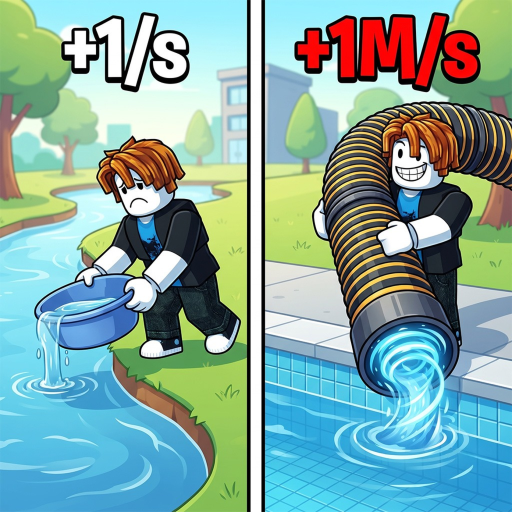
1DrainWaterPerClick
Guide

How to Start Draining Water

Learn how to play +1 Drain Water Per Click with a beginner guide to clicking WATER, draining pools, reading source labels, and choosing the next safe progression step.

+1 Drain Water Per Click how to playUpdated guide
Quick answer

Click to add WATER, drain the current pool, unlock what the game shows next, and keep unverified mutation or code claims out of your first route.

Get through a first session without relying on fabricated rates, reported mutation values, unverified codes, or exploit instructions.

For a beginner guide on how to play +1 Drain Water Per Click: use these ordered click, drain, progression, and safety steps with common mistakes and stuck-state fixes. Start with the official +1 WATER click loop, drain the current pool, follow the visible prompts for Areas, Lakes, Fish, Pets, upgrades, and Wins, then use the calculator only with values you personally observe. Treat mutation/weather guides and code videos as source-watch leads until stronger evidence confirms the exact values or code strings.

WATERpoolfishpetsupgradesWins
Walkthrough

Get through a first session without relying on fabricated rates, reported mutation values, unverified codes, or exploit instructions.

Learn how to play +1 Drain Water Per Click with a beginner guide to clicking WATER, draining pools, reading source labels, and choosing the next safe progression step.

how to play

Start with the official click-to-WATER loop, drain the current pool, then use source-labelled progression pages for Areas, Lakes, Fish, Pets, upgrades, and Wins. If a page gives exact rates, costs, or mutation numbers, pause until you can match that claim to your own in-game UI or a stronger source.

how to play

First 10 minutes

Spend the first session proving the basics instead of optimizing: check that clicks move WATER, confirm how the pool drains, notice when the next Area or Lake prompt appears, and write down only the numbers shown on your screen.

What to ignore early

Do not build your beginner route around mutation/weather tables, new-code video titles, or script results. Those can be useful watch signals later, but they are not the same as verified starter instructions.

When the UI does not update

Rejoin once, test a few clicks, and compare only the visible WATER counter and pool state. If the counter still does not move, stop using outside rates and wait for the game UI or official page to clarify the current state.

When a guide looks too advanced

If a guide jumps straight into Fish mutations, weather windows, or exact multipliers, treat it as a later-game lead. Finish the click, drain, unlock, and upgrade loop before using it for any decision.

When a result offers scripts

Close script, executor, auto-stage, or stage-farm results. They do not verify game mechanics and can expose your Roblox account or device.

What is confirmed and what can change

If you're stuck

Checks before you spend

  • If WATER does not change, rejoin and verify the in-game UI before trusting a guide claim.
  • If a progression threshold is unknown, use the areas page and wait for a first-party or in-game source rather than guessing.
  • If a public guide reports mutation or weather numbers, record it as unverified until your own UI or an official source confirms it.
FAQ

Common questions

What is the first verified action?

The official description says every click adds +1 WATER; the guide starts there.

Should I follow mutation or weather numbers right away?

No. Treat those as advanced, reported claims until they match your in-game UI or a stronger source.

Should I trust a script or stage-farm loader?

No. Use the safety guide and Roblox reporting paths; this site never publishes loaders.

Related pages

Where to go next

Open the next page that matches what you are trying to do in-game.